Multi-Cloud AI FinOps 2026: Unit Economics Across AWS, Azure, and Google Cloud

20 min read
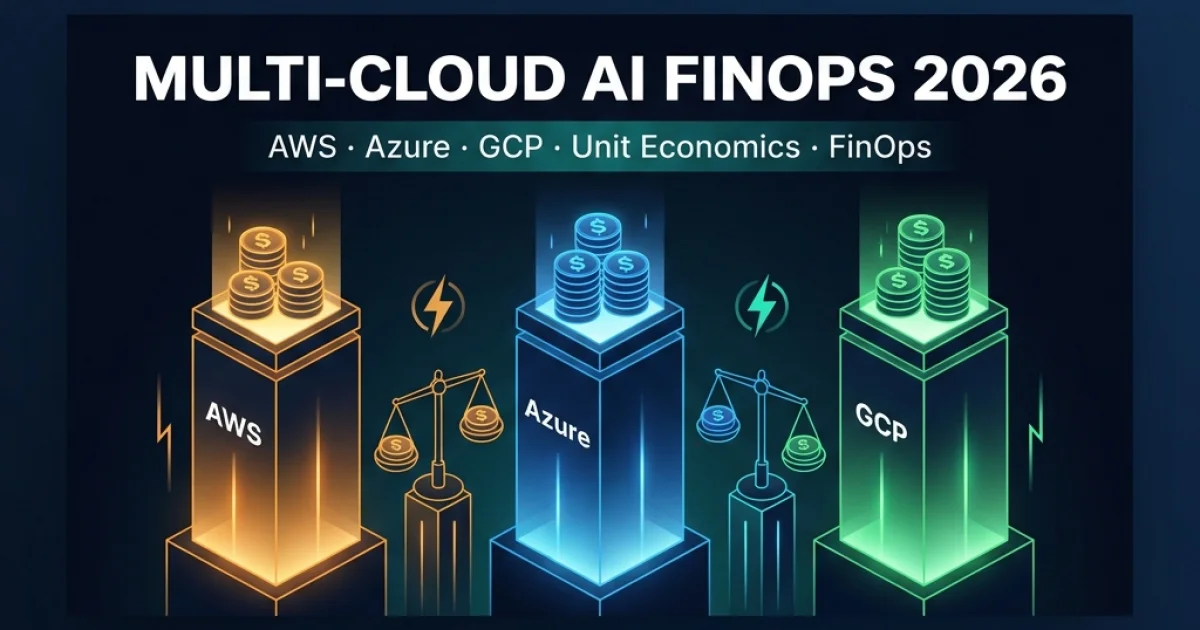
Multi-Cloud AI FinOps 2026: Unit Economics Across AWS, Azure, and Google Cloud
TL;DR

Vatsal Shah · June 22, 2026 · 19 min read Table of Contents Why FinOps Needed a Rewrite for AI AI Spend Anatomy: The Full Cost Stack Normalized Unit Economics:…

Multi-Cloud AI FinOps 2026 — AWS, Azure, GCP unit economics

Vatsal Shah · June 22, 2026 · 19 min read

Why FinOps Needed a Rewrite for AI

Traditional FinOps was built around a simple mental model: you have instances, they run for hours, you pay by the hour. Reserved instances and Savings Plans let you commit in exchange for discounts. Tagging tracked which team owned which VM. Cost Explorer showed you the bill. Done.

That model breaks completely for AI workloads.

I've been running multi-cloud AI infrastructure for enterprise clients since 2024, and the thing that surprises every CFO in the first quarterly review is this: the biggest AI cost center often isn't the GPU. It's the 47 separate cost dimensions nobody tagged, including API token fees, cross-region egress, vector database query operations, and the observability pipeline you spun up to debug why your agent was making 12× more LLM calls than expected.

The FinOps Foundation's 2026 State of FinOps report confirmed what I've been seeing in the field: 78% of enterprises with live AI agent workloads have no per-team cost attribution for those workloads. They know the total bill. They have no idea whose agents are responsible for what fraction of it.

This post is the sequel to my FinOps Transformation 2026 piece — but instead of the strategic overview, this is the practitioner's guide: specific cost layers, cross-cloud unit cost comparisons, a tagging taxonomy you can implement this sprint, and the model-mix routing policy that actually moves the needle.

AI Spend Anatomy: The Full Cost Stack

Before you can optimize, you need to see the full picture. Most teams only track two of the five cost layers.

AI Spend Anatomy — The Full Cost Stack

Blueprint 1: Five layers of AI cloud spend — most teams only measure two.

Layer 1: Compute — GPU and CPU Instance Hours

This is what everyone thinks of first, and for training workloads, it's still the dominant cost. For inference-heavy agent workloads running against hosted APIs (Bedrock, Azure OpenAI, Vertex), it's often the smallest layer for the platform team — because you're paying the cloud provider's inference markup rather than running your own GPUs.

The exception: teams self-hosting open models (Llama 3.3, Mistral Large, Gemma 2) on cloud GPUs. Here, compute is again dominant, but you gain full control over the economics.

Rough benchmark: For a mid-size enterprise (50 developers, ~100M agent steps/month), managed API inference typically costs $8,000–$25,000/month in tokens. Self-hosted inference on A100 instances runs $4,000–$12,000/month in compute — but requires MLOps overhead that costs 2–3 engineer-months to establish.

Layer 2: Tokens — Input and Output per API Call

Token costs are the line item that scales exponentially when something goes wrong. An agent that re-fetches its entire context on every tool call, instead of maintaining state efficiently, can generate 10× the expected token volume with identical task throughput.

The input/output asymmetry matters enormously: output tokens cost 3–5× more than input tokens on every major provider. Agents that generate verbose, unstructured responses — rather than compact, structured JSON — pay a meaningful premium.

The hidden multiplier: Most teams account for "primary" token costs but miss secondary costs:

  • System prompt tokens on every API call (often 500–2,000 tokens of repeated context)
  • Retry tokens when the model returns an error or malformed response
  • Evaluation tokens if you're running quality checks on model outputs
In practice, these secondary costs add 15–35% to the "primary" token line.

Layer 3: Egress — Cross-Region Data Transfer

This is the most commonly ignored cost layer, and the one that blindsides teams building multi-region agent systems.

Each cloud provider charges for data leaving their network or moving between regions:

  • AWS: $0.09/GB from US regions to the internet; $0.01–$0.02/GB inter-region
  • Azure: $0.087/GB outbound; $0.01–$0.05/GB between regions
  • GCP: $0.08–$0.12/GB outbound; $0.01/GB same-continent inter-region
For agents that move large payloads (documents, embeddings, image data) across region boundaries as part of their workflow, egress can become 10–20% of total spend. The mitigation is architectural: co-locate agent compute with vector store and LLM endpoint in the same region, and compress payloads before cross-region transfer.

Layer 4: Vector DB — Storage and Query Operations

Every RAG-enabled agent system has a vector database. The FinOps reality: vector DB costs have three independent dimensions that most teams conflate:

  1. Storage: Cost per million vectors stored (highly variable — $0.025–$0.10/M vectors/month)
  2. Query operations: Cost per similarity search (often $0.0001–$0.001 per query)
  3. Upsert operations: Cost per vector write during indexing
For an agent that executes 1M steps/month, each requiring 2–3 vector lookups, query operations alone can represent $200–$3,000/month depending on the vector DB provider and index configuration.

Managed vector DBs (Pinecone, Weaviate Cloud, Azure AI Search, Vertex AI Vector Search) price these dimensions differently. Self-hosted (pgvector on RDS, Qdrant on EC2) trades per-query cost for fixed compute cost — favorable at high query volumes.

Layer 5: Observability — Logging, Tracing, and Monitoring

Agent observability is non-negotiable in production. But it's also surprisingly expensive.

A single agent step that calls three tools, each making an LLM call, generates:

  • 1 distributed trace with 5–8 spans
  • 3–5 structured log entries
  • 15–20 metric data points
At 100M agent steps/month, this translates to billions of telemetry events. On cloud-native observability platforms (CloudWatch, Azure Monitor, Google Cloud Logging), this can cost $3,000–$15,000/month if you're ingesting and retaining everything.

The optimization: implement selective sampling (capture 100% of error traces, 10% of success traces) and use a tiered retention policy (hot for 7 days, warm for 30 days, cold archive for 90 days). This typically reduces observability costs by 60–70% with minimal diagnostic capability loss.

Normalized Unit Economics: $/1M Agent Steps

Per-token comparisons across clouds are misleading because:

  1. Token definitions differ (GPT-4o and Claude Sonnet 4 tokenize the same text differently)
  2. Different models have wildly different context efficiency
  3. Egress and infrastructure costs are excluded from simple token comparisons
The right normalization unit is $/1M agent steps — where one agent step is a complete unit of work: receive task, gather context (RAG + tool calls), generate response, execute action.

Here's a calibrated comparison for a standard agentic task profile: 2,000 input tokens + 500 output tokens per step, 3 vector lookups, 1 tool call, light cross-region transfer.

Cost Component AWS Bedrock (Claude Sonnet 4) Azure OpenAI (GPT-4o) Vertex AI (Gemini 1.5 Pro)
Input tokens (2K) $0.006 $0.005 $0.005
Output tokens (500) $0.015 $0.015 $0.0075
Vector DB (3 queries) $0.0003 (Bedrock KB) $0.0006 (AI Search) $0.0003 (Vertex Vector)
Egress (est. 2KB) $0.00018 $0.00017 $0.00016
Observability (sampled) $0.001 $0.0012 $0.0009
Total per step $0.0225 $0.0219 $0.0138
$/1M agent steps $22,500 $21,900 $13,800

What this tells you:

Vertex AI / Gemini 1.5 Pro is materially cheaper at the output token layer ($0.0075 vs $0.015) — approximately 40% lower cost per agent step for this task profile. This is a function of Google's aggressive Gemini pricing strategy in 2026, not an inherent quality difference for this class of task.

However, this comparison is task-profile specific. For tasks requiring complex multi-hop reasoning (where Claude Sonnet 4 or GPT-4o deliver measurably better first-pass accuracy), the economics flip: a 20% lower accuracy rate means 25% more retry steps, erasing the token price advantage.

The takeaway isn't "use Vertex for everything." It's: calibrate your model selection per task type, then apply the unit cost comparison to that task's typical profile.

Tagging and Chargeback for Agent Teams

If you can't attribute cost, you can't manage it. The fundamental challenge with agent workloads is that a single API call might be initiated by code owned by three different teams, running on shared infrastructure, calling a model that multiple product surfaces use.

Agent Workload Tagging Taxonomy

Blueprint 2: Three mandatory tag dimensions for agent workload chargeback.

The Three Mandatory Tag Dimensions

Dimension 1: Team / Owner

Every agent workload must carry two tags at minimum:

team: platform-engineering
owner: vatsal-shah

team maps to a cost center for chargeback. owner enables accountability — someone needs to be paged when that team's agent workload suddenly spikes 400% at 2am.

Implementation: inject these as environment variables in your agent runtime, then propagate them as HTTP headers on all outbound API calls. On AWS, use resource tags on the IAM role the agent assumes. On Azure, use Azure Policy to enforce tag inheritance. On GCP, use label propagation via Cloud Resource Manager.

Dimension 2: Workload Type

workload-type: rag-query | agent-run | batch-inference | eval-run

This dimension drives the most actionable FinOps insight. eval-run workloads hitting premium models are almost always overprovisioned — evaluations rarely need Claude Sonnet 4. batch-inference workloads should be scheduled for off-peak pricing windows. agent-run workloads benefit most from model routing policies.

Dimension 3: Model Tier

model-tier: premium | standard | fast | local

This tag is what makes chargeback fair. If the platform team mandated model routing policies and a product team's agent is still calling premium models for routine tasks, the model-tier tag exposes this in the cost report — creating a natural incentive for compliance.

The Chargeback Mechanics

Once tagging is in place, the chargeback flow is:

  1. Daily: Cloud Cost Management exports (AWS Cost & Usage Report, Azure Cost Management, GCP Billing Export to BigQuery) produce per-tag spend breakdowns
  2. Weekly: Automated report to team leads — "Your agents spent $X on tokens this week; $Y was premium-tier (flagged for review)"
  3. Monthly: Finance receives chargeback allocation by team/cost center
The tooling that makes this practical in 2026: CloudHealth, Apptio Cloudability, or GCP's own BigQuery billing + Looker for multi-cloud aggregation. For AWS-primary organizations, AWS Cost Anomaly Detection + Budgets with tag-based alerts is sufficient.

Multi-Model Routing as a FinOps Lever

This is where I spend most of my time with enterprise clients, because it's the highest-ROI intervention with the fastest payback.

Model Mix Optimization Loop

Blueprint 3: Four-step model mix optimization loop — target 30% cost reduction per cycle.

The premise is simple: most agent tasks don't require a premium model, but most agent systems default to premium models because that's what was used during development when cost wasn't a concern.

Here's the distribution I see across enterprise agent systems before any routing policy:

  • Premium model (Claude Sonnet 4, GPT-4o): ~65% of calls
  • Standard model (Gemini 1.5 Pro, GPT-4o-mini): ~25% of calls
  • Fast model (Codex Nano, Gemini Flash): ~10% of calls
After implementing a routing policy:
  • Premium: ~20% of calls (reserved for architectural decisions, security analysis, complex reasoning)
  • Standard: ~45% of calls (code review, PR descriptions, multi-file analysis)
  • Fast: ~35% of calls (completions, boilerplate, docstrings, simple queries)
The cost reduction from this shift alone: 28–42% on the token line, with no measurable drop in output quality for 80%+ of use cases.

Building the Routing Policy

A practical routing policy has three components:

1. Task Classification

Before routing, classify the incoming task. This can be done with a lightweight fast model (Gemini Flash at $0.00001/token) — the classification cost is trivially small compared to the savings from correct routing.

def classify_task_tier(task_description: str, context_length: int) -> str:
    """Route to model tier based on task complexity signals."""
    # Fast tier signals
    if context_length < 500 and any(kw in task_description.lower()
        for kw in ["complete this", "add docstring", "fix syntax", "rename"]):
        return "fast"

    # Premium tier signals
    if any(kw in task_description.lower()
        for kw in ["architect", "security review", "threat model",
                   "cross-service", "migration plan"]):
        return "premium"

    # Default: standard
    return "standard"

2. Provider Selection

Once the tier is known, select the cheapest provider that meets quality requirements for that tier. For standard-tier tasks in 2026, Vertex Gemini 1.5 Pro is typically 30–40% cheaper than Azure GPT-4o-mini while delivering comparable accuracy on code-related tasks.

3. Fallback and Retry

If a standard-tier model returns a malformed or low-confidence response (detected via structured output validation), escalate to premium tier for that specific call only. Log the escalation with the model-escalation: true tag for FinOps review.

The Vercel AI Gateway Pattern

For teams already using Vercel's AI Gateway (or building a similar multi-model gateway in-house), routing policies can be applied at the infrastructure layer rather than in application code. This is the cleanest implementation: application code sends a task description and complexity hint, the gateway handles provider selection, and cost is attributed at the gateway layer.

I covered the technical architecture in detail in the AI Gateway Multi-Model Routing 2026 piece. The FinOps angle: when routing lives in the gateway, you can update routing policies (e.g., "shift standard tier from Azure to Vertex for next month") without deploying application code. This makes monthly model-mix reviews operationally practical.

TCO Comparison: AWS vs. Azure vs. GCP Agent Workloads

Let's put real numbers to a hypothetical mid-size enterprise: 100 developers, 500M agent steps/month, mixed workload (60% standard tasks, 25% premium, 15% fast), US-East primary region with EU secondary.

Cost Layer AWS (Bedrock + SageMaker) Azure (OpenAI + AI Foundry) GCP (Vertex + Gemini)
Token costs (blended tier mix) $52,000 $49,500 $34,000
Vector DB ops (Pinecone/pgvector) $3,200 $4,100 (AI Search) $2,800 (Vertex Vector)
Egress (US→EU secondary) $1,800 $1,740 $1,600
Observability (sampled 10%) $4,500 (CloudWatch) $5,200 (Monitor) $3,800 (Cloud Logging)
GPU inference (self-hosted SLMs) $8,000 (g5.4xlarge × 4) $7,200 (NCv3 × 4) $6,800 (A100 × 4 via Vertex)
Compliance / audit logging $1,200 (CloudTrail) $1,400 (Defender) $900 (Audit Logs)
Total monthly TCO $70,700 $69,140 $49,900
$/1M agent steps $141.40 $138.28 $99.80
Annual TCO (no optimization) $848,400 $829,680 $598,800
Annual TCO (with routing policy) ~$565,000 ~$552,000 ~$395,000
Best for AWS-native orgs, Bedrock guardrails Microsoft 365 + Entra ID shops Cost-optimized pure AI workloads

Three observations from this model:

1. GCP wins on raw AI token cost, not total TCO. The Vertex/Gemini pricing advantage is real and significant at the token layer. But enterprises already invested in Microsoft 365, Entra ID, and Azure DevOps face real switching costs that the token savings don't recover in year one.

2. Routing policy impact is cloud-agnostic. The ~33% TCO reduction from implementing a routing policy applies regardless of cloud. The incremental engineering investment is 2–4 weeks; the payback period is under 30 days at enterprise scale.

3. Observability costs are underrated. The gap between "cheapest" and "most expensive" observability among the three clouds ($3,800 vs $5,200/month) is $1,400/month — $16,800/year — for a team that probably hasn't scrutinized this line item at all. Selective sampling alone recovers most of this.

GPU Economics: Reserved vs. On-Demand

Reserved vs On-Demand GPU Cost Curve

Blueprint 4: Reserved GPU commitments break even in ~90 days and deliver ~40% savings over 12 months.

For teams self-hosting open models (Llama 3.3, Mistral Large 2, Gemma 2 27B), the reservation decision is straightforward:

  • Baseline, steady-state inference workloads → 1-year reserved commitment. Break-even at ~90 days. Savings: 35–45% vs. on-demand.
  • Experimental / variable workloads → on-demand spot instances where possible. Accept interruption risk in exchange for 60–70% spot discount vs. on-demand.
  • Batch inference (not latency-sensitive) → spot instances with automatic retry on interruption. At 70% spot discount, this is the lowest-cost GPU compute available on any cloud.
Across clouds, the reserved GPU discount structure is comparable: AWS Savings Plans (~38% discount), Azure Reserved VM Instances (~40%), GCP Committed Use Discounts (~37%). The differences are in flexibility — AWS Compute Savings Plans are the most flexible (apply across instance families), GCP's are the most rigid (specific SKU, specific region).

2027–2030 FinOps Maturity Roadmap for AI

Where your organization sits on this maturity ladder determines what to do next — not what's theoretically optimal.

AI FinOps Maturity Model 2026–2030

Blueprint 5: Five-stage AI FinOps maturity from "Crawl" (2026) to "Lead" (2030).

Stage 1 — Crawl (many orgs today): Monthly cost review of total cloud bill. No per-team attribution. No tagging for AI workloads. Engineers don't know their workload's cost.

Stage 2 — Walk (target for Q3 2026): Basic tagging implemented (team, workload-type). Monthly FinOps report sent to engineering leads. Rough chargeback to cost centers. Model selection is intentional but manual.

Stage 3 — Run (target for Q1 2027): Automated daily cost reports. Chargeback fully automated via tag-based allocation. Model routing policy live and enforced at gateway level. Anomaly detection alerts on unexpected cost spikes within hours.

Stage 4 — Fly (2027–2028): Real-time cost intelligence fed back into the routing policy. Auto-scaling linked to cost thresholds (not just latency thresholds). Per-agent-step cost tracked as a product metric, not just a finance metric. Budget holders are product managers, not just CFO office.

Stage 5 — Lead (2030): Predictive budgeting — the system forecasts next month's AI spend with <10% error based on product roadmap signals. Agent-aware FinOps platform understands the semantic purpose of each agent call, not just its cost metadata. Cross-cloud optimization is fully automated.

Trend analysis: Most enterprise AI teams will reach Stage 3 by mid-2027. Stage 4 requires platform engineering investment that few teams will prioritize before cost pressure forces it. Stage 5 is a vendor product category that doesn't exist yet — but will by 2028.

The practical implication for 2026: Don't try to leapfrog. Stage 2 → Stage 3 is the highest-value move available to most teams right now, and it's achievable in one sprint with existing tooling.

What to Do Monday Morning

Three concrete actions. No new tools required for the first two.

1. Define your unit metric — this week.

Before the next sprint planning, align your team on one number: what is your current $/1M agent steps? Pull last month's AI API spend from your cloud billing console, estimate your agent step volume from your application logs, and divide. If you can't calculate this number today, that's your most important FinOps gap — you're flying blind.

2. Tag every agent invocation — this sprint.

Add three tags to every agent API call your platform makes: team, workload-type, and model-tier. This is 1–2 days of engineering work for most platforms. The tagging schema I described above is a starting point — customize it to your organizational structure, but don't skip it. Without these tags, the chargeback conversation with finance is impossible.

3. Run a monthly model-mix review — starting next month.

Schedule a 30-minute monthly review where you pull your token spend by model (available in AWS Cost Explorer, Azure Cost Management, and GCP Billing reports with appropriate tags). Look for the two signals that indicate routing policy violations: premium model calls on workload-type: batch-inference or workload-type: eval-run. These are almost always optimization opportunities with zero quality impact.

Disseminate Knowledge

Broadcast this intelligence

Copy Permanent Link

Want to work together?

Technical and delivery consulting for engineering leaders — diagnostics, agentic AI, and transformation with measurable outcomes.