STRATEGIC OVERVIEW The 2026 Developer Stack: Beyond VS Code and GitHub Copilot By Vatsal Shah · June 11, 2026 · Tools / AI Table of Contents 1. Introduction: T…
Introduction: The Death of the Autocomplete Box
In early 2024, the developer stack was straightforward. Developers used VS Code, installed GitHub Copilot or a similar extension, and accepted inline tab completions. This setup was a useful productivity booster, helping to generate boilerplate, write basic tests, and autostructure loops. However, the core loop remained unchanged: the human developer wrote code line-by-line, and the AI served as a secondary assistant, offering suggestions one line at a time.
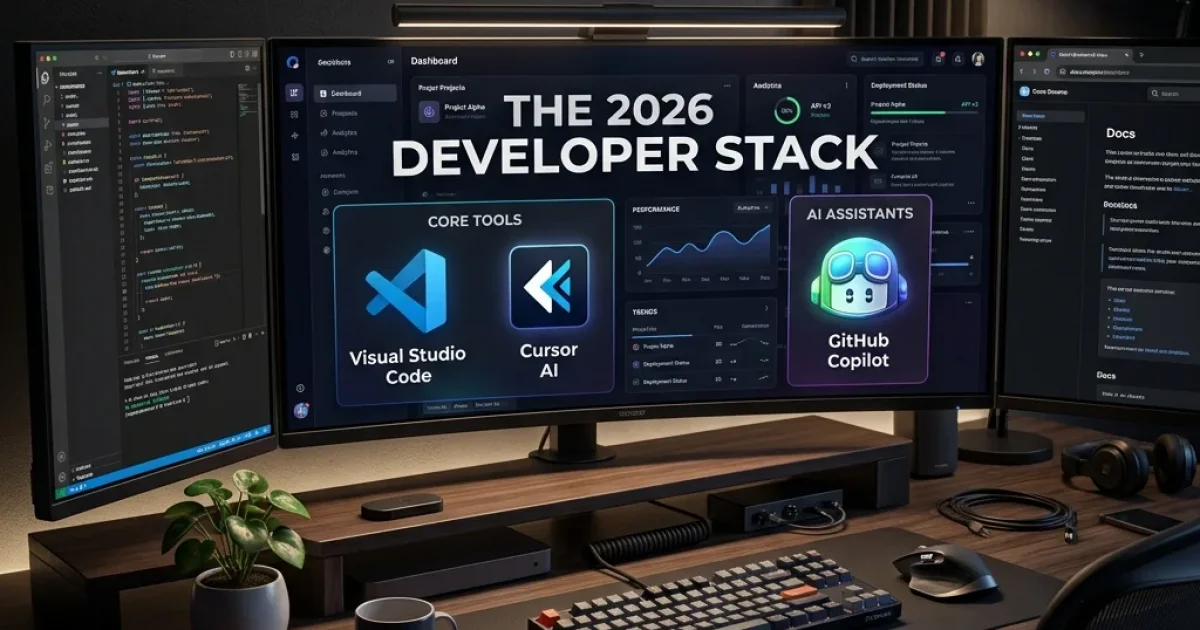
Today’s standard AI developer tools do not just autocomplete sentences; they modify entire files, configure deployment containers, run test suites, and fix runtime errors without constant human oversight. VS Code and standard Copilot integrations are being replaced by a new, agentic developer stack. This article examines the tools, workflows, and architectures defining software development in 2026.
From Autocomplete to Autonomy: The Core Shift
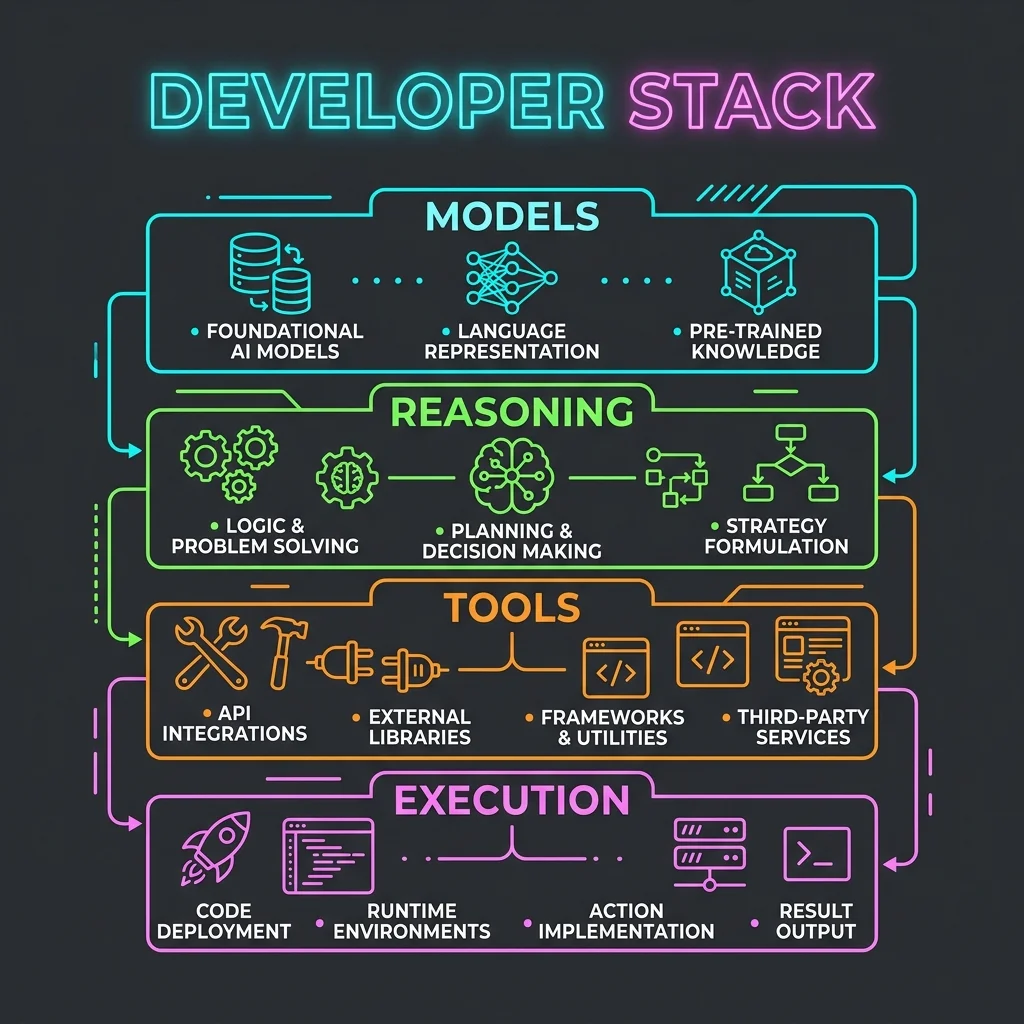
The transition from autocomplete to autonomous execution is driven by two main technical improvements: larger context windows and the ability to run code in sandboxed environments.
Context Window Engineering
Older tools could only process a few thousand lines of code at a time. When working on a large project, they struggled to track how a change in one file might affect others.Modern models can handle context windows ranging from 200,000 to over 1 million tokens. This capacity allows tools to index entire codebases, database schemas, and documentation files simultaneously. By keeping the full project context in memory, these systems can plan and execute modifications across multiple files while maintaining consistency.
Sandbox Execution and Feedback Loops
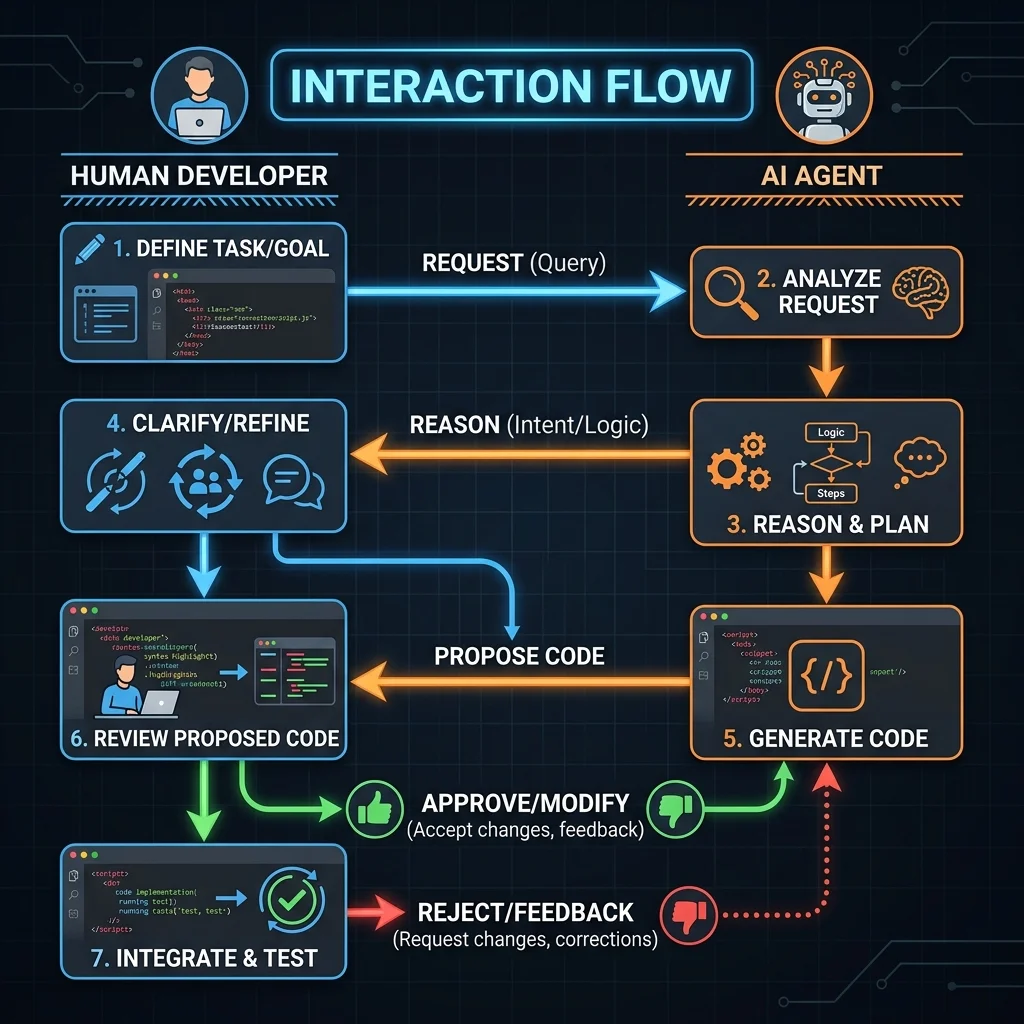
An autocomplete tool cannot verify if its suggestions actually work. It relies on the human developer to compile the code, review error logs, and fix any issues.In contrast, the 2026 developer stack connects reasoning models directly to sandboxed terminals. When given a task, the agent can write the necessary code, run the compiler, analyze test failures, and refine its implementation until all tests pass. This capability turns code generation into an automated feedback loop.
The Agentic IDE Frontier: Cursor, Windsurf, and Claude Code
The most visible change in the developer stack is the editor itself. While VS Code remains widely used, developers working with AI agents are increasingly adopting editors built specifically for these workflows, such as Cursor and Windsurf.
Cursor and the Shift in Context Retrieval
Cursor, built on a fork of VS Code, has grown popular due to its codebase indexing features. Rather than treating code as plain text, Cursor builds a semantic map of the repository. When a developer asks a question or requests a change, the editor automatically retrieves relevant files, classes, and function definitions to construct the prompt.Cursor's multi-file edit mode (composer) allows developers to describe a feature in natural language. The editor then outlines and applies changes across multiple files, letting the developer accept or reject modifications with a single keystroke.
Windsurf and the Flow State
Windsurf takes a different approach by focusing on continuous collaboration. It introduces a concept called the "Flow," where the AI agent and the human developer work on the same file simultaneously.The editor tracks the developer's cursor position, terminal outputs, and active editor tabs in real time. This allows the agent to suggest changes and run terminal commands in the background without interrupting the developer's workflow. If the developer makes a manual edit, the agent adjusts its plan accordingly, maintaining a shared state.
Claude Code: The CLI-First Agent
For terminal-heavy workflows, Anthropic's Claude Code represents a shift toward command-line-driven development. Operating as a CLI agent, Claude Code has direct access to the filesystem, shell commands, and local development tools. It can search directories, run test suites, commit changes to Git, and debug errors without needing a graphical user interface.The following TypeScript example shows how an agentic tool might use local CLI commands to run tests, parse errors, and fix failing modules:
import { exec } from 'child_process';
import { promises as fs } from 'fs';

interface TestResult {
  passed: boolean;
  errorLog?: string;
}

class AutoDeveloperAgent {
  private workspacePath: string;

  constructor(workspacePath: string) {
    this.workspacePath = workspacePath;
  }

  // Executes local test suite
  public async runTests(): Promise<TestResult> {
    return new Promise((resolve) => {
      exec('npm run test', { cwd: this.workspacePath }, (error, stdout, stderr) => {
        if (error) {
          resolve({
            passed: false,
            errorLog: stdout + '\n' + stderr,
          });
        } else {
          resolve({ passed: true });
        }
      });
    });
  }

  // Analyzes error log and updates the file
  public async selfHeal(filePath: string, fixLogic: string): Promise<boolean> {
    console.log(`[Heal] Attempting to apply fix to: ${filePath}`);
    try {
      // Read current content
      const originalCode = await fs.readFile(filePath, 'utf8');

      // Simulating model logic to apply fixes
      const updatedCode = `${originalCode}\n// Applied Fix:\n${fixLogic}`;
      await fs.writeFile(filePath, updatedCode, 'utf8');

      // Re-run tests to confirm fix
      const result = await this.runTests();
      if (result.passed) {
        console.log(`[Heal Success] Code is now passing tests.`);
        return true;
      } else {
        console.warn(`[Heal Fail] Test run failed after fix. Error:\n${result.errorLog}`);
        return false;
      }
    } catch (err) {
      console.error('[Heal Error] Failed to write changes:', err);
      return false;
    }
  }
}

// Instantiate and execute agent
const agent = new AutoDeveloperAgent('/var/www/payment-service');
agent.runTests().then((res) => {
  if (!res.passed && res.errorLog) {
    agent.selfHeal('/var/www/payment-service/src/handler.ts', '/* corrected type boundary safety */');
  }
});
The Shadow-Coder: Background Agents in Action
One of the main differences in the 2026 developer stack is the use of Shadow-Coders. These are autonomous agents that run in the background or during off-hours, performing routine maintenance tasks without requiring direct human input.
Instead of waiting for a developer to manually assign a task, a shadow-coder monitors the repository. It scans for issues, identifies tech debt, updates outdated dependencies, and writes missing unit tests.
How Background Agents Work
A shadow-coder typically runs in a sandboxed container on a local machine or a staging server. The workflow follows a structured loop:- Repository Sync: The agent pulls the latest changes from the main branch.
- Analysis: It runs static analysis tools and linter checks to identify code smells, type violations, or security risks.
- Drafting Fixes: It creates a new branch and applies updates or fixes.
- Local Verification: It runs the test suite to ensure the changes do not introduce regressions.
- PR Submission: If the tests pass, the agent submits a pull request containing the code changes, a summary of the fixes, and the test logs.
Automated CI/CD & Infrastructure Architects
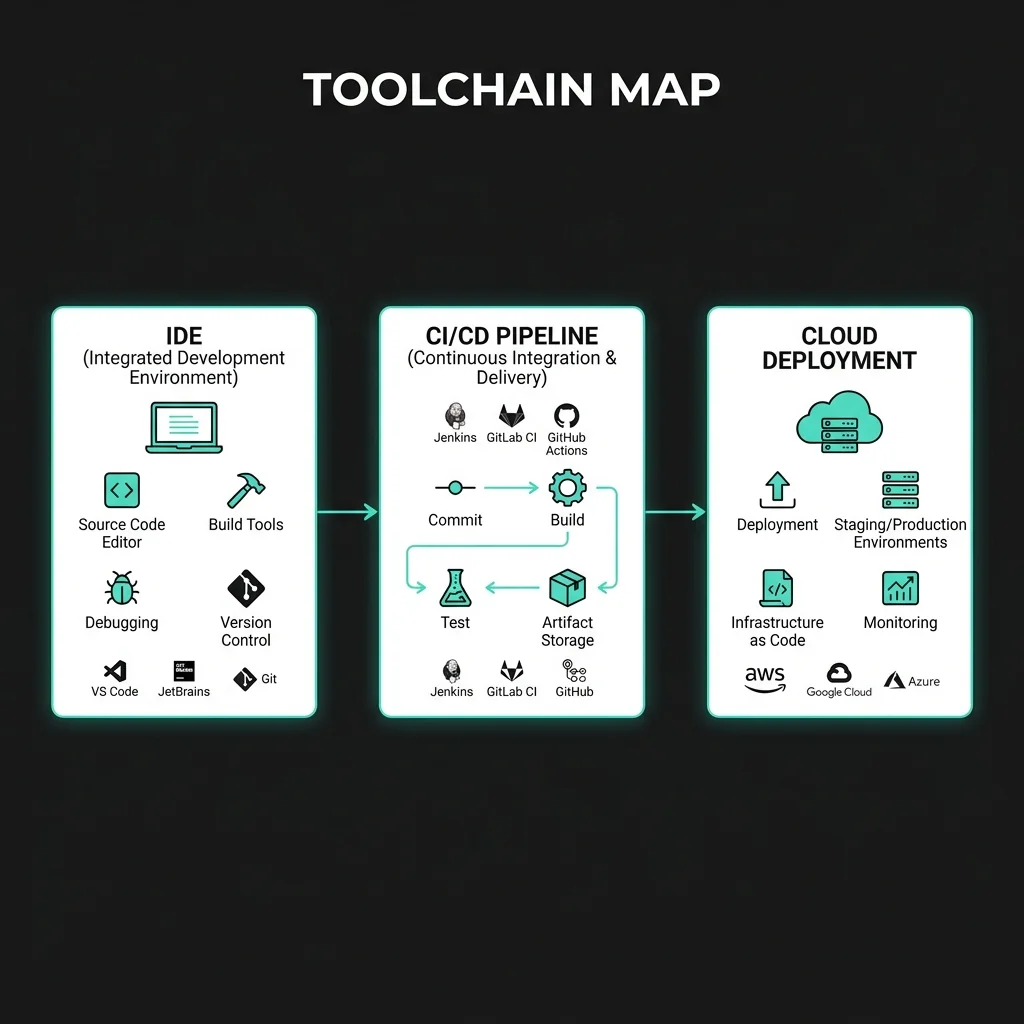
AI automation has also expanded beyond the code editor into continuous integration and infrastructure management. Setting up pipelines, managing Docker files, and debugging deployment errors are increasingly handled by specialized agents.
Declarative Infrastructure Auditing
Writing Terraform scripts or Kubernetes configurations can be error-prone. A small mistake in a YAML file can lead to deployment failures or security vulnerabilities.Modern infrastructure agents analyze configuration files, compare them against security standards, and verify resource allocations. When a deployment fails, the agent reads the cluster logs, identifies the root cause (such as a missing environment variable or an incorrect port binding), and proposes a corrected configuration.
The following Python example shows how an infrastructure agent might parse deployment logs and update a Dockerfile configuration:
import subprocess
import re

class InfraAgent:
    def __init__(self, repo_path: str):
        self.repo_path = repo_path

    # Runs docker build and captures logs
    def build_container(self) -> dict:
        try:
            result = subprocess.run(
                ["docker", "build", "-t", "app-service:local", "."],
                cwd=self.repo_path,
                capture_output=True,
                text=True,
                check=True
            )
            return {"status": "success"}
        except subprocess.CalledProcessError as e:
            return {"status": "fail", "error_log": e.stdout + "\n" + e.stderr}

    # Analyzes error and patches Dockerfile
    def resolve_build_failure(self, error_log: str) -> bool:
        print("[Infra Agent] Analyzing build failure...")

        # Check for missing package dependencies
        if re.search(r"module not found", error_log, re.IGNORECASE):
            print("[Infra Agent] Detected missing dependency error. Injecting install command...")

            # Read Dockerfile
            dockerfile_path = f"{self.repo_path}/Dockerfile"
            with open(dockerfile_path, "r") as f:
                content = f.read()

            # Append dependency install command
            updated_content = content.replace("RUN npm install", "RUN npm install && npm install typescript -g")

            with open(dockerfile_path, "w") as f:
                f.write(updated_content)

            # Re-run build to verify
            verify = self.build_container()
            return verify["status"] == "success"

        return False

# Execute build agent
infra = InfraAgent("/var/deployments/auth-service")
status = infra.build_container()
if status["status"] == "fail":
    infra.resolve_build_failure(status["error_log"])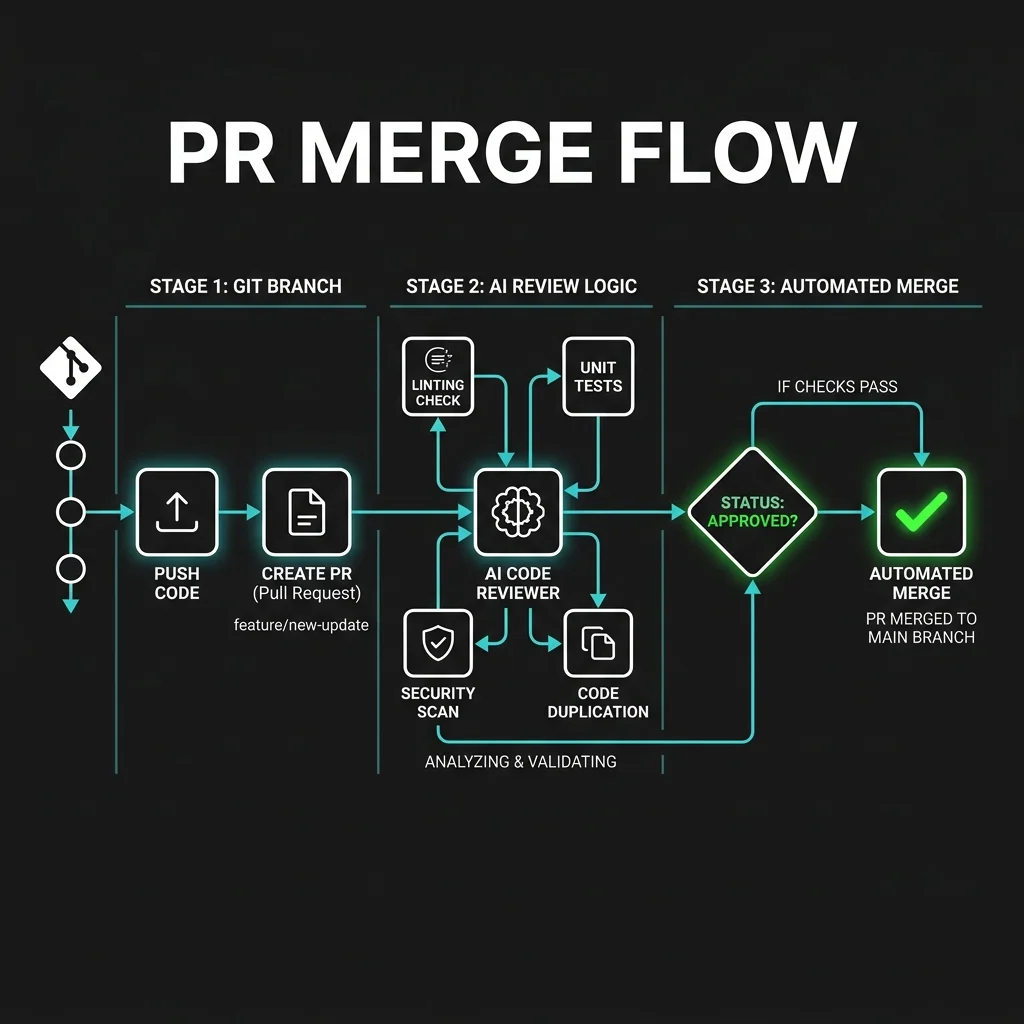
Comparative Matrix: 2024 Assistants vs 2026 Agentic Stacks
To illustrate the shift in developer tools, the table below compares the typical developer stack of 2024 with the agentic stack of 2026:
| Tooling Dimension | The 2024 Developer Stack | The 2026 Agentic Stack |
|---|---|---|
| Primary Editor | Standard VS Code or JetBrains IDEs | Agentic IDEs (Cursor, Windsurf, Claude Code CLI) |
| AI Suggestion Style | Single-line tab autocompletions | Multi-file codebase refactoring and edits |
| Context Management | Limited to active file and imports | Semantic indexing of entire repository |
| Execution Boundary | No run-time context or terminal access | Direct connection to sandboxed terminals and runtimes |
| PR Validation | Human review + basic lint/test checks | AI-driven review agents running test and patch loops |
| Infrastructure Management | Manual YAML/Terraform configuration | Automated agent auditing and container configuration |
| Maintenance Work | Handled manually by junior developers | Autonomous background agents (Shadow-Coders) |
Enterprise Security & Guardrails
As companies deploy autonomous coding agents, managing access and security is a key priority. Giving agents terminal access and the ability to execute shell commands introduces potential risks.
Code Injection and Tool Misuse
If an agent processes unsanitized input from a database or external API, it could be tricked into executing unauthorized commands. For example, a prompt injection attack might instruct the agent to delete local files, expose environment variables, or upload source code to an external server.Implementation of Guardrails
To secure these workflows, enterprises are implementing dedicated guardrails:- Sandbox Isolation: Agents run inside isolated containers or lightweight virtual machines, preventing them from accessing the host system.
- Tool Allowlists: Companies restrict the specific commands and APIs agents can run.
- Human-in-the-Loop Reviews: Critical actions, such as merging code to production or modifying infrastructure configurations, require manual approval from a human engineer.
2027-2030 Transition Roadmap: The Future of Coding
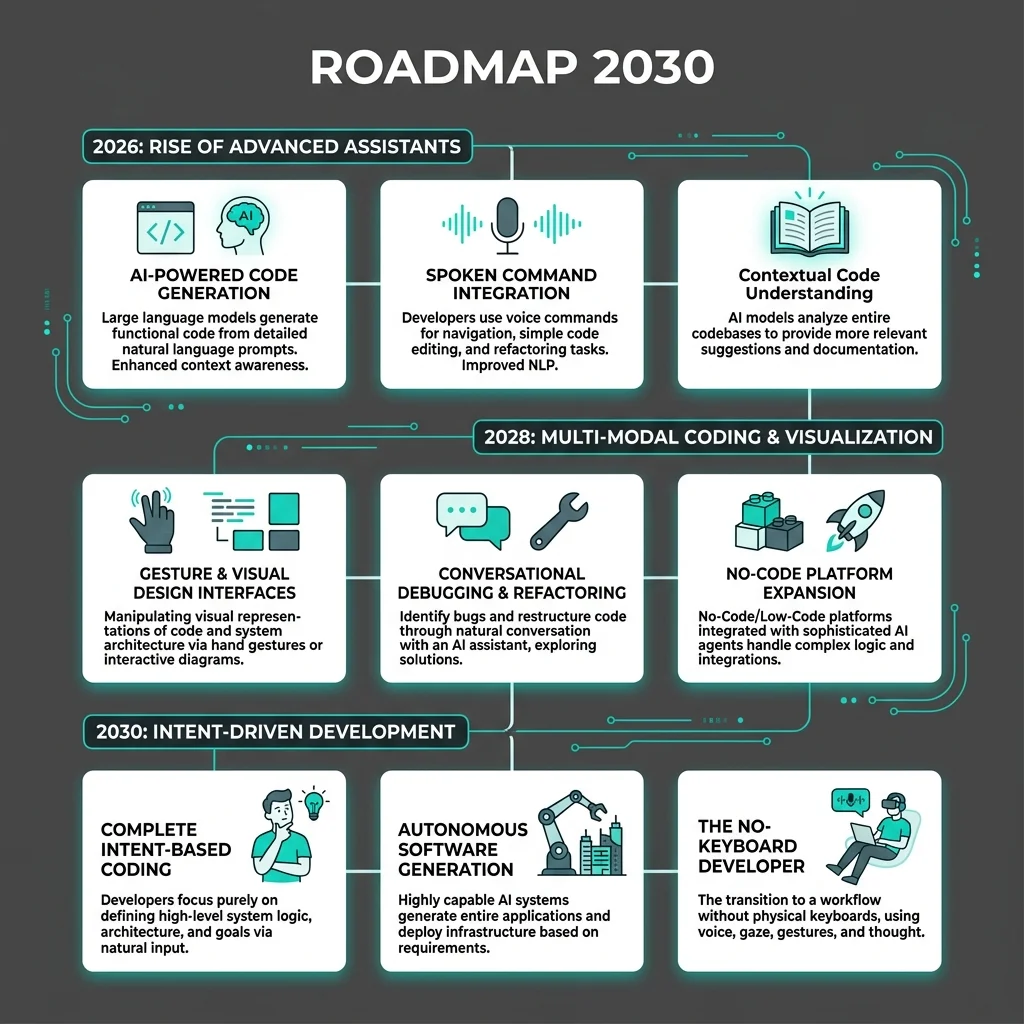
The developer stack will continue to change as models become more capable. The roadmap below outlines the projected evolution of software engineering tools over the next few years:
Phase 1: Contextual Integration (2026-2027)
- Current State: Transitioning to agentic IDEs, codebase semantic indexing, and basic background agents.
- Key Metric: 80% reduction in time spent on routine maintenance tasks and boilerplate generation.
Phase 2: Autonomous Fleet Management (2027-2028)
- Outlook: Teams will deploy clusters of specialized agents working together. For example, a product agent will write user stories, an architecture agent will define service interfaces, and a development agent will write the code.
- Key Metric: Shift from writing code line-by-line to managing and guiding agent teams.
Phase 3: High-Level Systemic Design (2029-2030)
- Outlook: Code generation will be largely automated. Human engineers will focus on system design, data architecture, security policies, and business logic, while the AI manages the underlying code.
- Key Metric: Development workflows driven primarily by architectural specifications and natural language requirements.
Frequently Asked Questions
Sources
GitHub: The Evolution of Developer Tooling and the Rise of Agents · IEEE Software: Quantitative Metrics on Developer Productivity in AI-Native Environments · NIST: Security Guidelines and Threat Mitigation for Autonomous Code Generators